
Your marketing team is not the only group posting about your program. Counselors, techs, nurses, admissions staff and alumni coordinators all have phones, and most of them are proud of where they work. That's a good thing. A staff member who shares a team photo or a job opening helps families see real people behind your name. But in treatment, one well-meant post can reveal that someone was a client. A short, clear staff social media policy protects clients, protects your staff and keeps your brand consistent.
This guide covers what a treatment center staff social media policy should include, the situations that cause the most problems, a plain-language rule list you can adapt, and how it fits with your program's official feeds. It's general information, not legal advice. Have your privacy officer and an employment attorney review any policy before you adopt it.
Why staff posts are a bigger risk in treatment
In most businesses, a staff selfie in the break room is harmless. In a residential program, the background of that selfie might show a client walking past, a group schedule on the wall or a whiteboard with first names. A comment like "proud of my guy who graduated today" can confirm that a person was in care, even with no name attached.
Substance use programs carry an extra layer. Programs covered by 42 CFR Part 2 have confidentiality rules for substance use disorder records on top of HIPAA (eCFR, 42 CFR Part 2). Our guide to HIPAA and 42 CFR Part 2 on social media explains how both apply to posts. For staff, the takeaway is simple: never confirm, deny or hint that any person is or was a client, on any account, ever.
What a staff social media policy should cover
Keep the policy to one or two pages. A long document nobody reads protects no one. Most programs need these sections:
1. Client privacy comes first
- No photos, video or audio recorded where clients could appear, unless it's for your official accounts and approved in advance.
- No posts, comments, likes or replies that reference a client, a former client or a family member, even without a name.
- No "friending" or following current or former clients from personal accounts, and no replying to clients who reach out through social media. Point them to the program's main line instead.
2. Who speaks for the program
Only the people you name may post on the program's official accounts or reply as the program. Staff can share official posts from their own accounts, but they should not create pages, groups or profiles that use your program's name or logo.
3. Personal accounts
Staff may say where they work and share official posts. They should make clear that personal opinions are their own. If they list their job title, it should be the title their license allows and the same one your website shows.
4. Reviews and comments
Staff should never write reviews of the program, ask clients for reviews, or reply to reviews from personal accounts. Replies to public reviews come only from the person assigned to them, using the process in our guide to responding to online reviews.
5. Clinical advice online
Staff should not give clinical or medical advice in comments, messages or groups, even to friends. A kind reply that shares the admissions number, and 988 for anyone in crisis, is always the right answer.
6. What to do after a mistake
Spell out who to tell, how fast and what happens next. A staff member who knows that reporting a mistake quickly is the expected step will tell you in minutes instead of hoping no one saw it.
Situations that cause most of the trouble
These come up in almost every program. Address each one directly in training:
- Graduation and milestone days. Staff want to celebrate. Celebrate the program, the season or the team instead, never a person.
- Holiday and event photos. Check every frame, including the background, reflections and anything on the walls, before it goes anywhere.
- Alumni groups. If your program runs an alumni group, decide who manages it, and keep staff from discussing anyone's treatment there.
- Recruiting posts. Job openings are great to share. Just make sure the photo is a staff-only shot taken for that purpose.
- Referral marketing. Staff should never post offers that pay or reward anyone for referring a client. Our plain-language EKRA guide explains why.
- LinkedIn. Clinicians often share professional updates. That's welcome, as long as case details never appear, even "de-identified" ones. See LinkedIn for treatment centers for safe post types.
A one-page rule list you can adapt
Many programs print this and review it at onboarding and once a year:
| Do | Don't |
|---|---|
| Share the program's official posts | Post photos or video from client areas |
| Say where you work, if you want to | Mention, tag or follow current or former clients |
| Send people who ask for help to admissions, and 988 in a crisis | Give clinical advice in comments or messages |
| Report any mistake to your supervisor right away | Write, request or reply to reviews from your account |
| Use the job title your license allows | Create pages or groups with the program's name |
Match the policy to your state rules
State licensing rules can add requirements on confidentiality and marketing, and they differ from state to state. Our state pages list who licenses programs in each state, with links to the agency. In Minnesota, for example, families can check a program in the state's public licensing lookup, so the program name and license details staff share should match it exactly.
How the policy fits with your official feeds
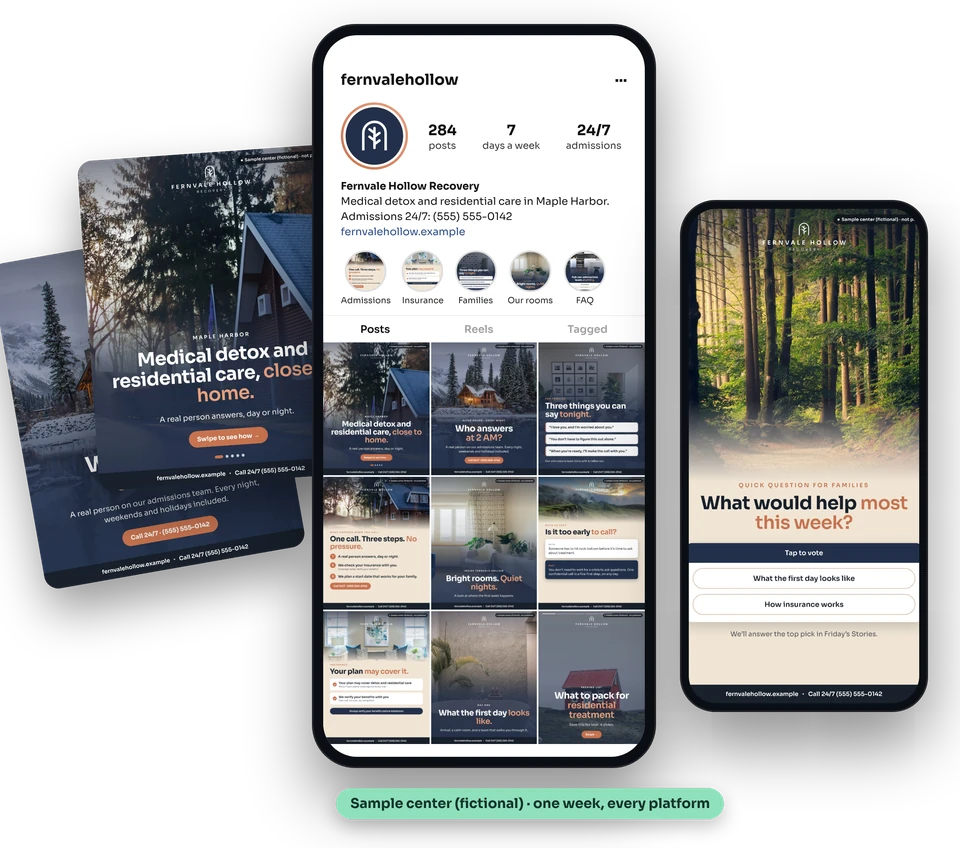
A staff policy works best when your official accounts are active. If the program posts every week, with real staff, real rooms and useful answers for families, staff have something good to share and less reason to create their own content. When the official feed goes quiet, staff fill the gap, and that's when mistakes happen.
FirstCall Social was founded by a treatment center owner, so we build every post with these risks in mind: no clients in any frame, staff only with a signed release on file, and every post checked for privacy and claims before it goes live. We plan, write, design and publish your posts every week for one flat monthly fee, never per lead, call or admission. See what each plan includes.
Want to see it first? We'll build you a free sample week from your website. Get a free sample week.
Frequently asked questions
Can staff say where they work on social media? Yes, in most programs. The policy should simply ask them not to post anything about clients and to make clear that personal opinions are their own.
Can a staff member post a photo from a program event? Only if it was taken for the official accounts, checked for clients and anything identifying in the background, and approved by the person who manages your official accounts.
Should staff accept friend requests from former clients? Most programs say no. The policy should give staff a kind, standard reply that points the person to the program's main line.
Does FirstCall write staff social media policies? No. We don't give legal advice or write policies. We run your official organic social media, built from your confirmed facts and checked for privacy before anything posts. Your privacy officer and attorney own the policy.
This article is general information, not legal advice. Talk to a healthcare attorney about your center.
Keep reading
- EKRA and treatment center marketing: can you pay a marketer per admission?
- Patient privacy on social media: HIPAA and 42 CFR Part 2 basics for rehabs
- How treatment centers should respond to online reviews
- How much does rehab marketing cost? Agency pricing explained
This article is part of compliance basics. Browse every guide by topic.
Planning for your market? See social media for treatment centers in your state, compare our flat monthly pricing, or grab the free 30-day calendar.